

Table of Contents
ToggleYour gaming laptop can pack a desktop-class RTX 5090 and a 14th-gen Intel Core i9, but none of that horsepower matters if your charger can’t keep up. Too many gamers learn this the hard way, mid-raid, mid-match, or mid-campaign, when their battery icon starts flashing red even though being plugged in. Or worse, they’re stuck with a dead brick because a cheap replacement fried itself after three months.
Gaming laptop chargers aren’t just power adapters. They’re the lifeline between your hardware’s potential and actual performance, especially under sustained loads. A mismatched or failing charger doesn’t just slow you down, it throttles your GPU, causes stuttering, and can even damage your battery over time. And with the shift toward slimmer designs and higher wattages, the stakes have never been higher.
This guide covers everything you need to know about gaming laptop chargers in 2026: how they work, what specs actually matter, how to troubleshoot common issues, and how to pick the right replacement or backup. Whether you’re replacing a dead OEM unit, hunting for a travel-friendly alternative, or just trying to figure out why your laptop won’t charge past 60%, you’ll find answers here.
Key Takeaways
- Gaming laptop chargers must deliver 150–330W depending on GPU and CPU, far exceeding standard 45–65W office laptop chargers, making wattage the single most critical specification when choosing a replacement.
- Undersized or failing chargers cause GPU throttling, frame rate drops, battery drain while plugged in, and potential long-term hardware damage through inconsistent voltage delivery.
- Verify exact voltage, amperage, and connector type from your laptop’s original charger label; even minor mismatches prevent proper charging or system instability, so always match or exceed your laptop’s power requirements.
- Third-party gaming laptop charger brands like Anker and UGREEN offer reliable alternatives at 30–50% less cost than OEM options, but avoid no-name sellers and prioritize certifications (UL, CE, FCC) and verified reviews.
- GaN-based portable chargers reduce weight by 30–50% compared to traditional bricks, making travel-friendly 150–200W options viable for gaming on the go, though high-end RTX 4080+ systems still require full-wattage primary chargers.
- Proper cable management—using loose coils, supporting connectors, and storing in breathable cases—extends charger lifespan to 3–5 years, while USB-C Power Delivery 3.1 (240W) is becoming standard on mid-range gaming laptops, signaling a shift away from proprietary connectors by 2027–2028.
Understanding Gaming Laptop Chargers and Why They Matter
Gaming laptop chargers do more than trickle electricity into your battery. They need to simultaneously power high-wattage components, your CPU, GPU, display, and cooling system, while also replenishing the battery. That’s a fundamentally different job than what a standard office laptop charger does, and it’s why you can’t just swap them out.
How Gaming Laptop Chargers Differ from Standard Laptop Chargers
A typical productivity laptop pulls 45–65W under load. Your gaming laptop? Easily 150–330W, depending on the hardware inside. A machine with an RTX 4070 and a mid-tier CPU might demand 180W, while a full-spec desktop replacement with an RTX 4090 can require 280W or more. That’s why gaming laptop chargers are chunkier, heavier, and often come with beefier cables.
Standard laptop chargers can’t deliver that kind of wattage safely. Plug a 65W charger into a gaming rig and one of two things happens: either the laptop refuses to charge (smart), or it charges painfully slowly while throttling performance to avoid pulling more power than the charger can provide (not ideal). Some gaming laptops will even display a warning if you connect an underpowered adapter.
Connector types differ too. While mainstream laptops have largely moved to USB-C PD (Power Delivery), most gaming laptops still use proprietary barrel connectors. Why? Because USB-C PD maxed out at 100W for years, and even the newer 240W spec isn’t enough for the highest-end rigs. That’s changing, more on that later, but for now, expect a chunky barrel plug on most gaming machines.
The Impact of Charger Quality on Gaming Performance
A failing or inadequate charger doesn’t just mean slower charging. It directly impacts your frame rates, temps, and system stability. If your charger can’t supply enough juice, your laptop will pull from the battery to make up the difference. You’ll see your battery percentage drop even while plugged in, a dead giveaway that something’s wrong.
When that happens, most gaming laptops will throttle the GPU and CPU to reduce power draw. You’ll notice stuttering, lower frame rates, and reduced settings, especially in demanding titles. In extreme cases, the system might shut down entirely to protect the battery from over-discharge.
Charger quality also affects thermals. Cheap third-party adapters with poor voltage regulation can cause power spikes, which translate to heat. More heat means your laptop’s cooling system works harder, fans spin faster, and components degrade faster. Over time, this can shorten the lifespan of both the charger and the laptop itself. It’s not just about wattage, it’s about clean, stable wattage.
Key Specifications to Know Before Buying a Gaming Laptop Charger
When shopping for a replacement or backup charger, you can’t just eyeball it. Gaming laptop chargers have specific electrical requirements, and getting them wrong can mean anything from slow charging to a bricked machine. Here’s what actually matters.
Wattage Requirements: Matching Power to Your GPU and CPU
Wattage is the single most important spec. It’s the product of voltage and amperage, and it tells you how much total power the charger can deliver. Your laptop has a minimum wattage requirement based on its internal hardware, and you need to match or exceed that.
Here’s a rough breakdown by GPU tier (as of early 2026):
- RTX 4050 / 4060: 120–150W
- RTX 4070 / RX 7700S: 150–180W
- RTX 4080: 200–240W
- RTX 4090 / desktop replacements: 280–330W
These numbers assume mid-to-high-end CPUs. If you’re running an Intel Core i9-14900HX or AMD Ryzen 9 7945HX alongside a high-end GPU, expect the upper end of those ranges. Always check your laptop’s original charger or the manufacturer’s spec sheet.
Can you use a higher wattage charger than your laptop needs? Yes, and it’s perfectly safe. Your laptop will only draw what it requires. Using a 240W charger on a 150W laptop won’t cause damage, it just means you’re paying for overhead you don’t need.
Can you use a lower wattage charger? Technically yes, but you’ll run into the throttling and battery drain issues mentioned earlier. It’s not recommended for gaming sessions.
Voltage, Amperage, and Connector Types Explained
Wattage is the headline number, but it’s derived from two other specs: voltage (V) and amperage (A). The formula is simple: Watts = Volts × Amps.
Most gaming laptop chargers operate at 19V, 19.5V, or 20V. A 180W charger at 19.5V delivers roughly 9.23A. These numbers need to match, or be very close to, your laptop’s requirements. A mismatch of more than 0.5V can prevent the laptop from recognizing the charger or cause instability.
Check the label on your original charger (usually printed on the brick itself). You’ll see something like:
Input: 100-240V ~ 2.5A 50-60Hz
Output: 19.5V, 9.23A (180W)
The “output” line is what matters. Match those numbers when buying a replacement.
Connector type is the other critical piece. Gaming laptops use proprietary barrel connectors with varying inner and outer diameters. Common sizes include 4.5mm×3.0mm, 5.5mm×2.5mm, and 7.4mm×5.0mm (often with a center pin). Even a 0.1mm difference can prevent a plug from fitting. Some third-party chargers include multiple tips, but verify compatibility before purchase.
OEM vs. Third-Party Chargers: What You Need to Know
OEM (Original Equipment Manufacturer) chargers are made by your laptop’s brand, ASUS, MSI, Razer, Lenovo, etc. They’re guaranteed to match your specs, and they usually come with warranties. The downside? They’re expensive, often $80–$200 depending on wattage.
Third-party chargers from reputable brands (Anker, UGREEN, Delta, Chicony) can be just as reliable and cost 30-50% less. Many OEM chargers are actually made by these companies anyway. The risk comes from no-name brands on marketplaces that cut corners on components and safety features. Independent testing by outlets like Tom’s Hardware has shown that poorly made third-party adapters can deliver inconsistent voltage or overheat under sustained loads.
If you go third-party, look for:
- UL, CE, or FCC certification (proof of safety testing)
- Overvoltage, overcurrent, and short-circuit protection
- A solid warranty (at least 1 year)
- Verifiable reviews from actual users
Avoid chargers with vague “universal” claims and no listed specs. If it doesn’t explicitly state voltage, amperage, and connector size, skip it.
Common Gaming Laptop Charger Problems and Solutions
Even high-quality chargers can fail over time, and the symptoms aren’t always obvious. Here’s how to diagnose and fix the most common issues.
Troubleshooting Slow Charging and Battery Drain While Gaming
If your battery drains while plugged in, or charges painfully slowly, start by checking the obvious: is the charger fully seated in the port? Is the outlet working? Wiggle the cable near the connector and watch for flickering on the charging LED. A loose connection can limit power delivery.
Next, verify wattage. If you’re using a replacement charger, double-check that it matches your laptop’s requirements. A 120W charger on a 180W laptop will struggle, especially under load. Windows and most gaming laptops will throw a warning if the adapter is underpowered, but not always.
Software can also interfere. Some manufacturers include power management utilities (like MSI Dragon Center, Asus Armoury Crate, or Lenovo Vantage) that cap charging speed or limit power draw to extend battery lifespan. Check your settings, there’s often a “performance” or “turbo” charging mode that disables these limits.
If the charger is correct and settings look fine, test with a different outlet or power strip. Faulty wiring or overloaded circuits can cause voltage drops. Finally, inspect the charging port on the laptop itself. Loose solder joints or debris can prevent a solid connection. A can of compressed air and a flashlight can reveal buildup inside the port.
Dealing with Overheating Chargers and Safety Concerns
Gaming laptop chargers get warm, that’s normal. But if your brick is too hot to touch, smells like burning plastic, or makes buzzing or clicking noises, that’s a red flag. Overheating chargers are usually caused by:
- Poor ventilation: Chargers need airflow. Don’t bury them under blankets, couch cushions, or inside closed laptop bags while in use.
- Degraded components: Capacitors and voltage regulators wear out over time, especially in cheap units.
- Overloading: Using a charger that’s barely meeting your wattage needs will run it at max capacity constantly, generating excess heat.
If your charger is overheating, unplug it immediately and let it cool down. Continued use risks a short circuit or, in rare cases, fire. Replace it as soon as possible, this isn’t something you can fix.
For prevention, always place your charger on a hard, flat surface with good airflow. Avoid carpet or fabric. If you’re gaming in a hot environment (summer LAN party, anyone?), consider a small desk fan to keep air moving around the brick.
When to Replace Your Gaming Laptop Charger
Chargers don’t last forever. Here are the warning signs that it’s time for a new one:
- Visible cable damage: Fraying, exposed wires, or kinks near the connector or brick
- Intermittent charging: The laptop charges on and off, requiring you to adjust the cable angle
- Excessive heat: As mentioned, dangerously hot bricks are a hard stop
- Burn marks or melted plastic: Self-explanatory
- Battery health decline: If your battery’s max capacity has dropped significantly (check in BIOS or with a tool like HWInfo), a failing charger delivering inconsistent voltage could be the culprit
Don’t try to repair a damaged charger yourself unless you have electrical engineering experience. High-voltage components inside the brick can be dangerous even when unplugged. Replacement is safer and often cheaper than the risk.
Choosing the Right Replacement or Backup Charger
Whether your original charger died or you want a spare for travel, picking the right replacement doesn’t have to be a headache. Here’s how to narrow it down.
Compatibility Checks: Finding the Perfect Match for Your Gaming Laptop
Start with your laptop model number, not just the brand and series, but the exact SKU. For example, “ASUS ROG Zephyrus G14 (2025)” isn’t specific enough: you need something like “GA403UV-G14.R95700X.32” to ensure you’re getting the correct charger specs.
Once you have the model number, cross-reference it with the manufacturer’s official parts list or support page. Most brands (ASUS, MSI, Razer, Lenovo, Acer, HP Omen, Alienware) list compatible chargers and wattages by model. Write down the voltage, amperage, wattage, and connector size.
If you can’t find official documentation, check the original charger’s label (if you still have it) or look inside the laptop’s battery compartment, some models have a sticker listing power requirements.
For third-party chargers, verify compatibility explicitly. Reputable brands like Anker and UGREEN maintain compatibility databases on their websites. Avoid vague “universal” listings that don’t specify your model.
Top Universal Gaming Laptop Chargers in 2026
A few standout third-party options have earned solid reputations among gamers this year:
- Anker PowerPort Atom III Slim (150W/200W): GaN-based, lighter than most OEM bricks, includes multiple tips. Great for RTX 4060/4070 builds.
- UGREEN Nexode 300W Desktop Charger: Overkill for most, but handles the beefiest rigs (RTX 4090 territory) with multiple USB-C PD ports as a bonus.
- Delta Electronics ADP-230EB: OEM supplier for many gaming laptop brands. No-frills, bulletproof reliability, available in 180W–330W variants.
- Chicony A18-series: Another OEM supplier. Not flashy, but if you see a Chicony-made charger listed for your model, it’s a safe bet.
Avoid random Amazon Basics or AliExpress specials unless you enjoy playing Russian roulette with your $2,000 laptop.
Budget vs. Premium Options: What’s Worth the Investment
Budget chargers ($30–$50) from known brands can work fine for backup or occasional use, especially if you’re not pushing max TDP for hours. But for primary daily use, especially with high-wattage machines, spending $60–$100 on a quality unit pays off in reliability and longevity.
Premium chargers often include:
- Better voltage regulation (less ripple, cleaner power)
- Enhanced cooling (larger heat sinks, better internal layouts)
- Longer cables (6+ feet vs. the typical 4-5 feet)
- Robust warranties (2-3 years vs. 90 days)
For travel or LAN setups, a second charger is worth the investment, leave one at your desk and one in your bag. Reviews on platforms like PCMag often break down real-world performance and build quality, helping you separate marketing fluff from actual value.
Portable and Travel-Friendly Charger Solutions for Gamers on the Go
Lugging a 1.5-pound charger brick through airports or to LAN parties gets old fast. Fortunately, advancements in power delivery tech have made portable high-wattage charging a real option in 2026.
Compact High-Wattage Chargers and GaN Technology
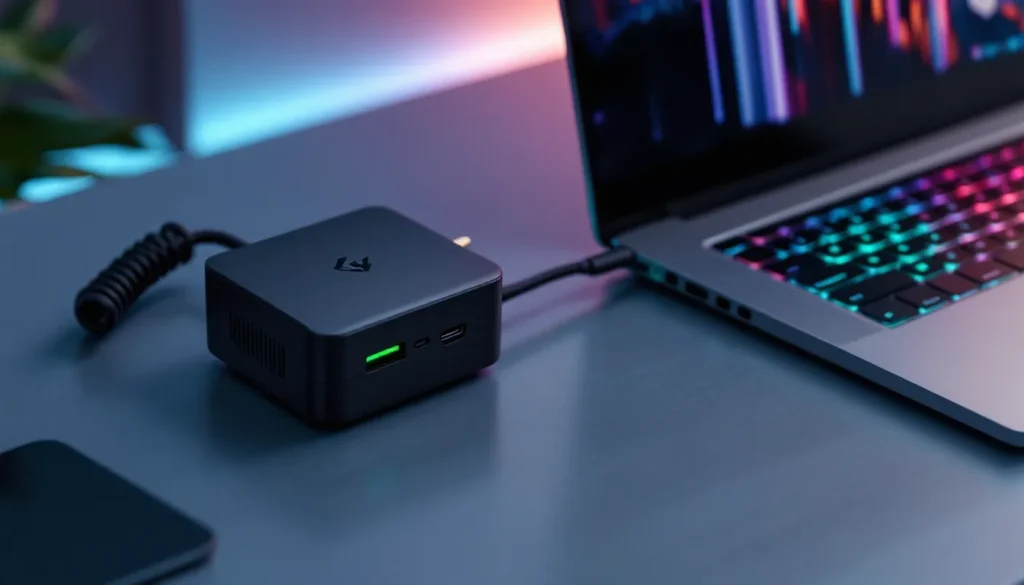
GaN (Gallium Nitride) chargers have revolutionized power delivery. GaN transistors switch faster and run cooler than traditional silicon, allowing engineers to shrink charger size and weight by 30-50% without sacrificing wattage.
A GaN-based 180W charger can be half the size of a legacy 180W brick. Brands like Anker, UGREEN, and Razer (yes, Razer makes chargers now) offer GaN models specifically marketed to gamers. Some even include multiple USB-C PD ports, so you can charge your phone, wireless headset, or portable monitor simultaneously.
Key benefits:
- Weight savings: A typical 200W GaN charger weighs around 1 lb vs. 1.8 lb for a traditional brick
- Better heat dissipation: GaN runs cooler, reducing the risk of overheating during long sessions
- Future-proofing: Many GaN chargers support both barrel and USB-C PD output
Trade-offs? GaN chargers tend to cost 20-40% more upfront, though prices have been dropping. And not all GaN chargers are created equal, some budget models cut corners on internal components. Stick with reputable brands.
Power Banks and Battery Packs: Can They Replace Your Charger?
Short answer: not really, but they can extend your unplugged playtime.
Most USB-C PD power banks max out at 100W, which isn’t enough to power a gaming laptop under load. You’ll still drain the internal battery, just slower. Newer 140W and 240W power banks (like Anker’s PowerCore 24K with 140W output) can keep lighter gaming laptops (RTX 4050/4060) alive for 1-2 hours of moderate gaming, but don’t expect miracles.
For high-wattage rigs (RTX 4080+), power banks are basically useless under load. But, they’re great for:
- Extending idle/light use time (web browsing, watching streams)
- Emergency backup if you’re caught without a charger
- Powering peripherals (keyboard, mouse, USB hub) to reduce laptop battery drain
If you travel frequently, a 100W+ power bank is a decent insurance policy. Just don’t expect it to replace your wall charger for gaming sessions. Airlines also have limits on lithium battery capacity (usually 100Wh in carry-on), so check regulations before flying.
Extending the Lifespan of Your Gaming Laptop Charger
A quality charger can last 3-5 years or more with proper care. Most fail prematurely due to easily avoidable damage. Here’s how to make yours last.
Proper Cable Management and Storage Tips
The cable is the weakest link. Constant bending, twisting, and tension near the connectors causes internal wire breakage. Over time, you’ll notice intermittent charging or complete failure.
Do this:
- Use loose coils: When storing the cable, coil it loosely (12-inch diameter loops). Avoid tight wraps around the brick.
- Velcro straps over zip ties: Zip ties cinch too tightly and stress the cable jacket. Velcro straps are reusable and gentler.
- Support the connector: Don’t let the laptop’s weight pull on the charging port. Route the cable so there’s no tension on the plug.
- Store in a breathable bag: If you’re traveling, use a padded pouch with ventilation. Don’t stuff the charger into the main laptop compartment where it can get crushed.
Don’t do this:
- Yank the cable to unplug: Always pull from the connector, not the cord.
- Wrap tightly while hot: Let the charger cool before coiling the cable. Heat + tight bending = faster insulation breakdown.
- Dangle the brick: If your outlet is wall-mounted and the charger is heavy, support the brick on a shelf or desk. Gravity pulling on the plug accelerates port wear.
Avoiding Common Damage Causes and Wear Patterns
Beyond cable management, a few other habits can extend (or shorten) charger lifespan:
- Keep it ventilated: As mentioned earlier, don’t cover or enclose the brick during use. Heat is the enemy.
- Avoid extreme temperatures: Don’t leave your charger in a hot car (120°F+) or freezing garage. Extreme temps degrade internal capacitors.
- Surge protection: Plug into a surge-protected power strip, especially in areas with unstable power grids. A single voltage spike can fry the charger’s circuitry.
- Clean the port: Every few months, power down your laptop and gently clean the charging port with compressed air. Dust buildup can cause poor contact and arcing.
- Rotate chargers: If you have a backup, alternate between them. Regular use keeps internal components from seizing up (yes, that’s a thing with electrolytic capacitors).
Finally, don’t use your charger as a footrest or let it get stepped on. It sounds obvious, but it’s shockingly common at LAN parties and gaming cafes.
Future-Proofing: USB-C Charging and the Evolution of Gaming Laptop Power
The gaming laptop charging landscape is shifting. For years, proprietary barrel connectors ruled because USB-C couldn’t deliver enough wattage. That’s changing, slowly, and it has big implications for gamers in 2026 and beyond.
USB-C Power Delivery 3.1 (PD 3.1) introduced support for up to 240W over USB-C, a massive jump from the previous 100W limit. That’s finally enough for most gaming laptops, excluding only the absolute top-tier desktop replacements.
We’re starting to see USB-C charging show up on mid-range gaming laptops (RTX 4060/4070 models) from brands like ASUS, Razer, and Lenovo. The benefits are huge:
- Universal compatibility: One cable standard for your laptop, phone, tablet, and portable monitor
- Smaller, lighter chargers: GaN-based USB-C PD chargers are more compact than barrel equivalents
- Reversible plug: No more fumbling in the dark to figure out which way the connector goes
- Multi-device charging: Many USB-C PD chargers have multiple ports for simultaneous device charging
The catch? High-wattage USB-C PD is still expensive, and adoption has been slow. Many gaming laptop manufacturers are hesitant to ditch barrel connectors because:
- Profit margins on proprietary chargers (cynical but true)
- Concerns about cable durability at 240W (USB-C cables can get hot)
- Backward compatibility: Gamers upgrading from older models would need new chargers
Still, the trend is clear. By 2027-2028, expect USB-C PD to become standard on all but the absolute highest-wattage machines. When the USB-IF (USB Implementers Forum) ratifies higher-wattage extensions, rumors suggest 360W USB-C is in development, barrel connectors will finally be on the way out.
For now, if you’re buying a new gaming laptop and it offers USB-C PD charging as an option (even as a secondary input alongside barrel), consider it a nice-to-have feature. It won’t replace your primary charger yet, but it’s a glimpse of where the industry is headed. Testing from TechRadar has shown that current USB-C PD implementations on gaming laptops can handle moderate gaming loads (esports titles, older AAA games) without issue, though sustained max TDP gaming still requires the full-wattage barrel charger.
One more thing: USB4 and Thunderbolt 4/5 also support power delivery, and some docking stations now offer 100W+ PD output. If your gaming laptop supports USB-C charging, a high-quality Thunderbolt dock can serve as an all-in-one solution: power, display output, and peripheral connectivity through a single cable. It’s not cheap (expect $200-$400 for a quality dock), but for desktop setups, it’s a game-changer.
Conclusion
Your gaming laptop charger is more than a power cable, it’s the foundation of consistent performance, battery health, and system longevity. Whether you’re troubleshooting a failing unit, shopping for a travel-friendly backup, or just trying to understand why your FPS tanks when you’re plugged in, the specs and best practices covered here should have you covered.
Match your wattage, verify your voltage, take care of your cables, and don’t cheap out on safety. The $50 you save on a sketchy third-party charger isn’t worth the risk to a $2,000 machine. And if you’re buying a new gaming laptop in 2026, keep an eye on USB-C PD support, it’s not essential yet, but it’s the future.
Now get back to gaming. Your battery’s at 100%.