

Table of Contents
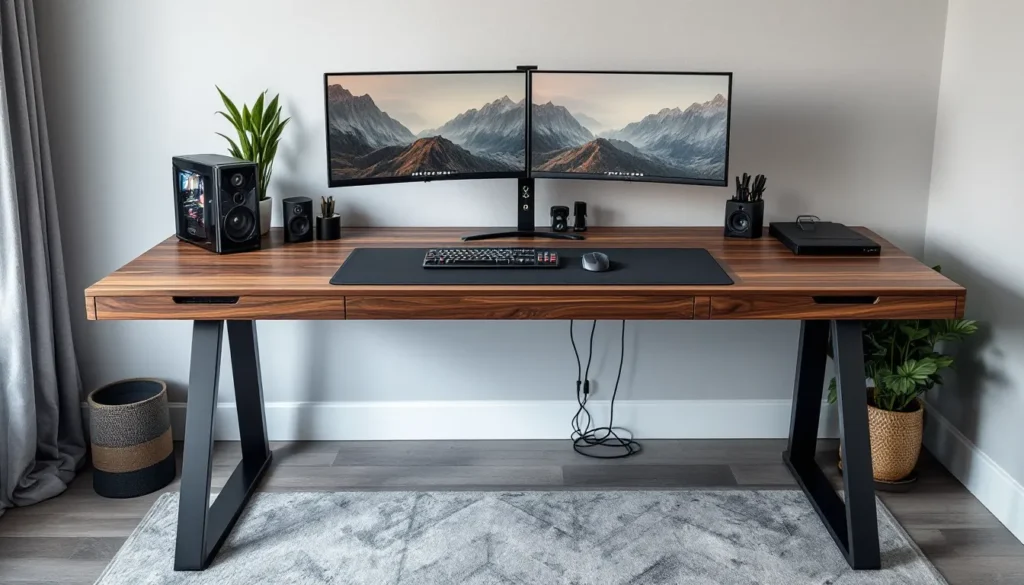
ToggleThe gaming table market has exploded over the past few years, and for good reason. Whether you’re grinding ranked matches, streaming to thousands, or hosting weekly D&D sessions, the surface you game on affects everything from comfort to cable management to how your whole setup looks on camera. And while tempered glass, steel, and particle board desks dominate Amazon listings, wood gaming tables have been quietly earning a loyal following among serious gamers who want durability, aesthetics, and a setup that doesn’t feel disposable.
Wood isn’t just about looks, though a solid oak or walnut desk absolutely elevates a battlestation. It’s about longevity, stability under heavy monitor arms, and the ability to customize or refinish years down the line. But with dozens of wood types, build styles, and price points to choose from, finding the right wood gaming table can feel like navigating a skill tree with no respec option.
This guide breaks down everything: why wood beats alternatives, which types suit different gaming styles, what features actually matter, and how to pick a table that fits your budget and space without compromising on the essentials. Let’s dig in.
Key Takeaways
- Wood gaming tables offer superior durability and longevity compared to particle board or glass alternatives, lasting 10-15+ years with proper maintenance.
- A wood gaming table should provide at least 48-60 inches of width for PC gaming with a thick top (minimum 1 inch) to support monitor arms without flexing.
- Solid hardwoods like oak and maple offer premium durability, while quality engineered wood provides an affordable middle ground with real wood veneer and plywood cores.
- Essential features to prioritize include cable management (grommets, trays, rear cutouts), ergonomic height (28-30 inches for fixed desks), and adequate depth (24-30 inches) for comfortable monitor placement.
- Mid-range wood gaming tables ($300-$800) offer the best value, delivering solid materials, improved build quality, and features that provide 10+ years of reliable use.
- Protect your wood gaming table by using desk mats, coasters, and avoiding direct heat; refinishing with sandpaper and polyurethane can extend its lifespan by years when wear appears.
Why Choose a Wood Gaming Table Over Other Materials?
Walk into any big-box furniture store and you’ll see gaming desks made from metal frames, MDF with vinyl wraps, and glass tops that look sleek until you realize they show every fingerprint. Wood gaming tables occupy a different tier entirely, one that prioritizes substance over flash.
Durability and Longevity Benefits
Solid wood and quality engineered wood tables are built to handle years of use without falling apart. Unlike particle board desks that sag under the weight of dual monitors or develop cracks near screw holes after a year, hardwood tables distribute weight evenly and maintain structural integrity.
Wood also resists impact damage better than glass (which can shatter) or cheap composite materials (which chip and peel). Drop a controller on a solid maple desk? You might get a tiny ding. Drop it on a vinyl-wrapped MDF surface? You’re looking at exposed particle board and a permanent eyesore.
The longevity factor is real. A well-made wood gaming table can last 10-15 years or more with basic maintenance. That’s multiple GPU generations, entire console cycles, and countless meta shifts. When you factor in replacement costs for cheaper desks every 2-3 years, wood starts looking like the better investment.
Aesthetic Appeal and Customization Options
Let’s be honest: RGB everything has its limits. A wood gaming table adds warmth and character to a setup in ways that black steel frames and LED strips can’t replicate. Natural wood grain creates visual interest without screaming “gamer gear,” which matters if your setup doubles as a workspace or you’re streaming and want a more mature aesthetic.
Customization options are another huge win. Wood takes stains, paints, and finishes beautifully. Want a dark walnut finish to match your chair? Done. Prefer a light Scandinavian look? Easy. You can even sand and refinish wood tables years later to refresh the look or repair surface damage, try doing that with a laminate desk.
Many custom builders and DIY enthusiasts gravitate toward wood precisely because it’s workable. Drill holes for cable grommets, mount monitor arms without worrying about cracking, attach LED strips underneath, wood handles modifications that would destroy cheaper materials.
Types of Wood Gaming Tables for Different Gaming Styles
Not all gaming happens the same way, and your table should match how you actually play. Here’s how different wood gaming table styles serve different needs.
PC Gaming Desks: What to Look For
PC gamers need surface area, stability, and cable management, period. A quality wood PC gaming desk should offer at least 48-60 inches of width to accommodate a monitor (or two), keyboard, mouse pad, and still leave room for a drink or your phone.
Look for desks with thick tops (at least 1 inch) to support monitor arms without flexing. Many wood PC desks feature built-in cable management channels, grommets, or rear cutouts to keep your setup clean. Some higher-end models include keyboard trays, though most competitive gamers skip those in favor of a flat surface for better ergonomics.
Stability matters when you’re flicking shots in a tac shooter or making micro adjustments in an RTS. Solid wood or butcher block tops paired with sturdy legs (wood or steel) eliminate wobble that can throw off your aim or irritate you during long sessions.
Tabletop Gaming Tables for Board Games and RPGs
If you’re into tabletop RPGs, board games, or TCGs like Magic: The Gathering, you need a different beast entirely. Tabletop gaming tables often feature recessed play areas, cup holders, and sometimes felt or neoprene surfaces to protect cards and dice.
Wood is ideal here because it’s sturdy enough to support leaning elbows during 4-hour D&D sessions and looks fantastic in a game room or dining area. Many tabletop gaming tables double as dining tables with removable tops, a smart move if space is tight.
Size varies, but most tabletop gaming tables run 4×3 feet minimum for comfortable 4-6 player sessions. Premium models include features like built-in storage for rulebooks, dice vaults, and even charging ports for tablets running digital character sheets. Companies specializing in gaming setup tutorials often highlight these hybrid designs for their versatility.
Multi-Purpose Gaming Tables for Console and Hybrid Setups
Console gamers and hybrid players (those who game on PC, console, and tabletop) benefit from flexible wood tables that adapt to different needs. These often feature adjustable shelving, wider surfaces to accommodate both a monitor and a TV setup, and modular components.
A good multi-purpose wood gaming table might include a hutch or riser for a monitor, space underneath for a console or tower, and enough surface area to swap between mouse-and-keyboard and controller comfortably. The key is avoiding overly specialized designs that lock you into one gaming style.
Wood works well here because it blends into living rooms and bedrooms better than aggressive “gamer” designs. You can run a PS5 and gaming PC on the same table without it looking like an esports LAN station crashed into your apartment.
Best Wood Types for Gaming Tables: Pros and Cons
The type of wood you choose affects durability, cost, and aesthetics. Here’s what you need to know before dropping cash on a table.
Solid Hardwoods vs. Engineered Wood
Solid hardwood tables are exactly what they sound like: slabs or planks of real wood, usually oak, maple, walnut, or cherry. They’re heavy, durable, and age beautifully. Solid hardwood resists dents and scratches better than softer materials, and you can sand and refinish them multiple times over their lifespan.
The downside? Cost and weight. Solid hardwood gaming tables often start around $500 and climb quickly. They’re also heavy, moving a solid oak desk without help is a nightmare.
Engineered wood (plywood, MDF, or particleboard with hardwood veneer) offers a middle ground. Quality engineered wood tables use thick plywood cores with real wood veneer on top, giving you the look of hardwood at a lower price and weight. They’re stable, resist warping, and handle humidity better than solid wood in some cases.
Cheap engineered wood (thin MDF with printed vinyl) is garbage. Avoid anything that doesn’t specify the core material or uses suspiciously vague terms like “wood composite.”
Popular Wood Species Compared
Oak: The workhorse of gaming tables. Red oak and white oak are dense, affordable (relatively), and feature prominent grain patterns. Oak handles wear well and takes stains beautifully. It’s heavy, which means stability, but also a pain to move.
Maple: Harder than oak, with a finer grain. Maple’s light color makes it perfect for modern or Scandinavian setups. It resists dents and dings better than most woods but can be pricier. Competitive gamers appreciate maple’s smooth surface for low-friction mouse movement.
Walnut: The premium choice. Walnut’s rich, dark color and straight grain look incredible in high-end setups. It’s softer than oak or maple, so it dents more easily, but the aesthetics often outweigh that drawback for enthusiasts. Expect to pay a premium.
Pine: Budget-friendly and lightweight, but soft. Pine dents and scratches easily, so it’s best for light use or as a starter table. It takes paint and stain well, making it a popular DIY choice.
Bamboo: Technically a grass, but often grouped with wood tables. Bamboo is sustainable, hard, and moisture-resistant. It’s a solid choice for gaming tables, though the aesthetic skews more modern/minimalist.
Essential Features Every Wood Gaming Table Should Have
A beautiful wood slab isn’t enough. Your gaming table needs specific features to support long sessions and complex setups.
Size and Space Considerations
Measure your space before you buy, sounds obvious, but gamers constantly underestimate how much room a 60-inch desk actually takes up. Factor in clearance for your chair, space to walk around, and room for the door to swing open.
For PC gaming, 48-60 inches wide is the sweet spot for most setups. Go bigger (72+ inches) if you’re running triple monitors or want space for a streaming setup with a camera, mic arm, and audio interface. Depth matters too: 24-30 inches gives you enough room to position monitors at a comfortable distance and still have space for a keyboard and mouse pad.
Tabletop gamers should think about player count. A 4-player session fits comfortably on a 4×3-foot surface, but 6+ players need at least 6×4 feet to avoid crowding.
Cable Management and Accessory Storage
Cable management separates clean setups from rat’s nests. Look for tables with:
- Cable grommets: Holes drilled into the surface (usually with rubber or plastic inserts) that let you route cables cleanly.
- Cable trays or channels: Mounted underneath the desk to bundle and hide power cables, USB hubs, and adapters.
- Rear cutouts: Openings at the back of the desk for routing cables to wall outlets or power strips.
Built-in storage is a bonus. Drawers, shelves, or compartments keep controllers, headsets, and game cases organized without cluttering your surface. Some wood gaming tables include monitor stands with storage underneath, useful for small spaces.
Reviews from technology reviews for gaming laptops often emphasize cable management as a key quality-of-life feature that’s easy to overlook until you’re drowning in wires.
Ergonomics and Height Adjustability
Fixed-height desks work fine if you’re average height and use a standard chair. But if you’re tall, short, or switch between sitting and standing, adjustability matters.
Standard desk height is 28-30 inches, which suits most people with an adjustable chair. Standing desks (including wood-topped models) typically adjust from 28-48 inches, letting you alternate positions during long sessions, a real back-saver if you’re grinding ranked or streaming for hours.
If you’re going fixed-height, pair it with a quality ergonomic chair that adjusts to match. Your elbows should rest at 90 degrees when your hands are on the keyboard, and your monitor should sit at or slightly below eye level to avoid neck strain.
How to Maintain and Care for Your Wood Gaming Table
Wood gaming tables last decades if you treat them right. Neglect them, and you’ll be dealing with scratches, stains, and warping.
Protecting the Surface from Damage
Use a desk mat or mouse pad. Even hard finishes can wear down from constant mouse movement. A large desk mat protects the surface and improves mouse tracking.
Coasters are non-negotiable. Water rings from drinks are the #1 cosmetic killer of wood tables. Use coasters or insulated cups with no condensation.
Avoid direct heat. Don’t set hot coffee mugs or laptops directly on unfinished or lightly finished wood. Heat can leave permanent marks or cause finishes to crack.
Monitor arm installation: If you’re clamping a monitor arm to your desk, use a protective pad or wood block between the clamp and the table surface to distribute pressure and prevent dents.
Some gamers apply additional protective finishes (polyurethane, wax, or oil) to new tables for extra defense. Check what finish your table already has before adding anything, some finishes don’t layer well.
Cleaning and Refinishing Tips
For daily cleaning, use a dry microfiber cloth to remove dust. For spills or sticky spots, lightly dampen the cloth with water, never spray liquid directly on wood.
Avoid harsh cleaners, ammonia-based products, or anything with silicone (like Pledge), which can build up and dull the finish over time. If you need more cleaning power, use a wood-specific cleaner or a mix of mild soap and water, then dry immediately.
Refinishing a wood gaming table isn’t as scary as it sounds. If your table develops scratches or the finish wears thin after years of use:
- Sand the surface with 120-grit sandpaper (or finer for light touch-ups), working with the grain.
- Clean thoroughly to remove all dust.
- Apply your finish: Polyurethane for durability, tung oil for a natural look, or stain + poly for color changes.
- Let it cure for at least 24-48 hours before using the table.
Many gamers refinish tables to change aesthetics or cover damage, extending the table’s life by years. Guides on game guides, walkthroughs, and tips occasionally cover desk refinishing as part of battlestation upgrade content.
Budget Considerations: Finding the Right Wood Gaming Table for Your Price Range
Wood gaming tables span a huge price range. Here’s what to expect at each tier and where to focus your budget.
Entry-Level Options Under $300
Entry-level wood gaming tables usually feature engineered wood (plywood or MDF cores with veneer) and simpler designs. You’re not getting solid hardwood at this price, but you can still find durable, functional tables.
Look for:
- Tables with thick tops (at least 0.75 inches) to avoid flex and sagging.
- Sturdy leg construction (metal or solid wood, not hollow tubes).
- Basic cable management features like grommets or rear cutouts.
Brands like IKEA, Walker Edison, and Tribesigns offer decent options in this range. The IKEA Bekant and Gerton (butcher block top) are popular among budget-conscious gamers for good reason, they’re simple, sturdy, and hackable.
Skip anything that feels flimsy in the store or has tons of bad reviews mentioning wobbly legs or peeling veneer.
Mid-Range Tables ($300-$800)
This is the sweet spot for most gamers. Mid-range wood gaming tables offer better materials (solid wood or premium engineered wood), more features, and improved build quality.
Expect:
- Solid hardwood or thick butcher block tops.
- Better cable management (integrated trays, multiple grommets).
- Optional features like adjustable height, built-in storage, or monitor risers.
- Brands like Uplift, Fully, ApexDesk, and Husky (yes, the tool brand makes desks).
Many standing desks with wood tops fall into this range. The Uplift V2 with a solid wood top runs around $600-750 depending on size and is a favorite among streamers and remote workers who game.
Mid-range is where you start seeing tables that’ll genuinely last 10+ years without major issues.
Premium and Custom-Built Tables
Premium wood gaming tables ($800+) deliver on aesthetics, materials, and craftsmanship. Think solid walnut or maple tops, hand-rubbed finishes, and designs that double as furniture showpieces.
Custom-built tables from local woodworkers or specialty companies (like Wyrmwood for tabletop gaming tables) can run $1,500-$5,000+ depending on size, wood species, and features. You’re paying for:
- Exceptional materials (figured walnut, live-edge slabs, exotic woods).
- Custom dimensions and features tailored to your exact needs.
- Craftsmanship that turns a desk into an heirloom piece.
For tabletop gamers, companies like Carolina Game Tables, Bandpass Design, and Wyrmwood offer premium wood tables with recessed play areas, built-in storage, and luxury finishes. These aren’t impulse buys, they’re investments for serious hobbyists.
PC gamers at this tier often go the custom route: buying a butcher block countertop from a lumber yard and pairing it with quality motorized legs or a custom frame. It’s more expensive than IKEA but cheaper than full custom, and you get exactly what you want.
DIY vs. Pre-Built: Which Is Right for You?
Building your own wood gaming table or buying pre-built? Both have merit, depending on your skills, budget, and patience.
DIY Pros:
- Customization: You control every dimension, feature, and finish.
- Cost savings: A DIY wood gaming table can cost 30-50% less than a comparable pre-built model if you source materials smartly.
- Satisfaction: There’s something uniquely rewarding about gaming on a table you built yourself.
DIY Cons:
- Time investment: Expect 10-20 hours for a basic build, more for complex designs.
- Tool requirements: You’ll need saws, drills, sanders, and clamps, or access to a makerspace.
- Skill curve: Mistakes happen, and wood isn’t cheap. Measure twice, cut once is a cliché for a reason.
A popular DIY route: buy a solid wood countertop (IKEA Karlby, butcher block from Home Depot, or reclaimed wood slab) and pair it with adjustable legs or sawhorses. Add cable management, stain/finish to taste, and you’ve got a custom desk for $200-400.
Pre-Built Pros:
- Convenience: Order, assemble (usually just attaching legs), done.
- Warranty and support: Most reputable brands offer warranties and customer service.
- Proven designs: You’re buying something that’s been tested and reviewed.
Pre-Built Cons:
- Higher cost: You’re paying for labor, branding, and retail markup.
- Limited customization: You get what’s in the catalog, period.
For most gamers, pre-built makes sense unless you already have woodworking skills or enjoy DIY projects. If you’re handy and want something unique, DIY is absolutely worth exploring, just budget extra for mistakes and plan thoroughly before cutting.
Where to Buy Quality Wood Gaming Tables in 2026
Finding the right wood gaming table means knowing where to shop. Here are the best sources in 2026.
Specialty Gaming/Office Furniture Retailers:
- Uplift Desk, Fully, and ApexDesk: These companies specialize in standing desks and office furniture with gaming crossover. They offer solid wood tops, extensive customization, and strong warranties. Expect mid-to-premium pricing.
- Secretlab (Desks): Known for gaming chairs, Secretlab entered the desk market with the Magnus series. They offer metal frames with wood-topped options and excellent cable management.
Tabletop Gaming Specialists:
- Wyrmwood Gaming, Carolina Game Tables, Bandpass Design: Premium custom tables for RPGs and board games. Prices are high, but quality and features are exceptional.
- GameToppers: Modular toppers that convert dining tables into gaming tables. More affordable than full custom builds.
Mainstream Furniture Retailers:
- IKEA: Budget-friendly options like the Bekant, Gerton, and Karlby (countertop used as a desk). Widely available, decent quality for the price.
- Amazon: Huge selection, but quality varies wildly. Stick to reputable brands (Walker Edison, Mr IRONSTONE, CubiCubi) and read reviews carefully. Avoid no-name brands with suspiciously perfect 5-star ratings.
- Wayfair and Overstock: Good for mid-range options. Filters help narrow by material, size, and price. Return policies are generally solid.
Local and Custom Options:
- Local woodworkers/carpenters: Check Etsy, local maker communities, or classified ads. Custom builds support local artisans and get you exactly what you want.
- Lumber yards and home improvement stores: Buy raw materials (butcher block countertops, reclaimed wood slabs) and DIY or hire someone to assemble.
Used and Vintage:
- Facebook Marketplace, Craigslist, OfferUp: Solid wood desks often show up used for a fraction of retail. Vintage office desks from the ’70s-’90s are frequently solid oak or walnut and built like tanks.
- Thrift stores and estate sales: Hit-or-miss, but occasionally you’ll find incredible deals on high-quality wood furniture.
Wherever you buy, check return policies and warranties. Wood furniture is heavy and expensive to ship, so make sure you can return or exchange if something arrives damaged or doesn’t fit your space.
Conclusion
A wood gaming table isn’t just a surface to put your monitor on, it’s the foundation of your entire setup. The right table improves ergonomics, supports your gear without flexing or wobbling, and elevates the aesthetics of your space in ways that cheap particle board never will.
Whether you’re grinding comp, hosting D&D campaigns, or building a hybrid setup that handles everything, wood offers durability, customization, and longevity that justify the investment. Focus on the features that matter for your gaming style: size and stability for PC gamers, specialized features for tabletop enthusiasts, and flexibility for multi-purpose setups.
Budget matters, but so does thinking long-term. A $600 solid wood desk that lasts 15 years beats replacing a $150 desk every two years, and it looks better the whole time. Take your time, measure your space, and don’t settle for a table that’s almost right. Your back, your setup, and your future self will thank you.