

Table of Contents
ToggleSpending 8-12 hours in the same chair hunting for that next win or grinding ranked? Your seat matters more than most gamers realize. While mesh and fabric options have flooded the market, leather gaming chairs still hold their ground as the go-to for players who want that premium feel, long-term durability, and a setup that looks as good as it performs.
But here’s the thing: not all leather gaming chairs are created equal. You’ve got genuine leather, PU leather, bonded leather, each with wildly different price points, comfort levels, and longevity. Some’ll crack and peel after six months of heavy use. Others develop that perfect worn-in patina that screams “veteran grinder.”
This guide breaks down everything you need to make the right call. Whether you’re building a streaming setup, upgrading your battlestation, or just tired of your current chair feeling like a medieval torture device during marathon sessions, let’s figure out if leather is your endgame material.
Key Takeaways
- Genuine leather gaming chairs last 5-7 years with proper care, while PU leather alternatives provide 2-4 years of durability at lower prices, making them ideal for different budget and usage scenarios.
- A gaming chair leather choice between genuine, PU, and bonded materials directly impacts your long-term comfort, maintenance commitment, and total cost of ownership.
- Premium features like 4D adjustable armrests, integrated lumbar support, and quality gas lifts (Class 4 rated) are essential for extended gaming sessions, regardless of leather type.
- PU leather chairs require minimal maintenance (weekly wiping and occasional protectant spray), while genuine leather demands conditioning every 3-6 months to prevent cracking and maintain its premium patina.
- Gaming chair leather’s main weakness is heat retention, making mesh or fabric better choices for warm environments, but climate-controlled setups eliminate this concern entirely.
- Invest in a quality gaming chair leather above $500 if you plan to keep it 4+ years and value aesthetics, or choose budget PU options under $300 if you game 1-2 hours daily and upgrade every few years.
Why Leather Gaming Chairs Remain a Top Choice for Serious Gamers
Leather gaming chairs haven’t dominated the market for over a decade by accident. They deliver a combination of visual impact and functional longevity that keeps pulling gamers back, even with newer materials hitting the scene every year.
Premium Aesthetics and Professional Appeal
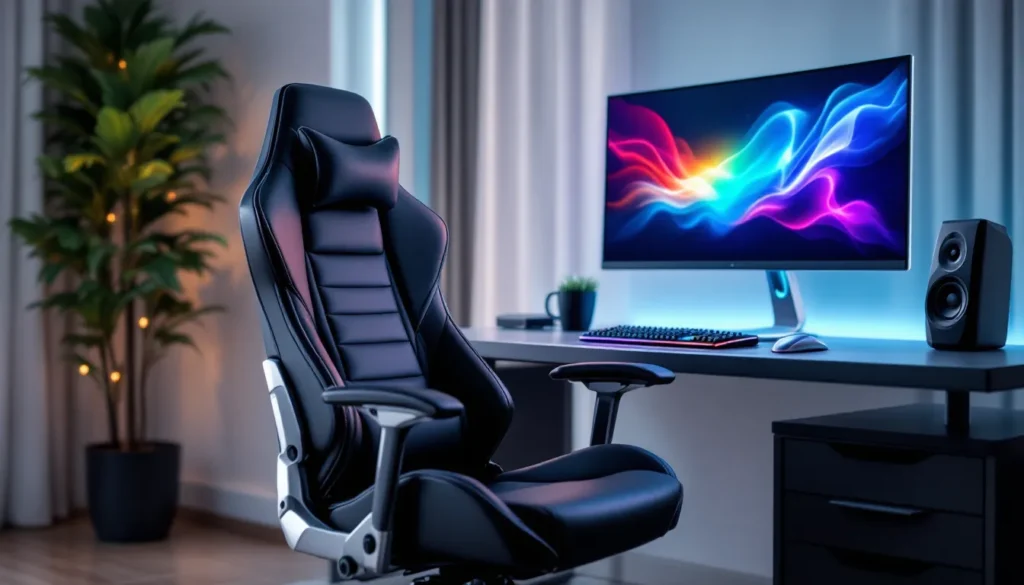
When you’re streaming to thousands of viewers or just want your setup to look clean on Discord calls, leather brings an instant upgrade. The material photographs well under RGB lighting, maintains a consistent appearance over time, and gives off that executive-level vibe without looking out of place in a gaming environment.
Most high-end racing-style chairs use leather accents on the seat pan and backrest specifically because it reads as premium on camera. If you’ve ever watched a pro tournament stream or checked out setups featured in various gaming setup guides, you’ll notice leather chairs dominate the background. That’s intentional, they communicate serious intent.
The aesthetic also ages differently than fabric. Where mesh can sag and cloth can fade or stain permanently, quality leather develops character. Minor scuffs and wear patterns add to the look rather than detracting from it, assuming you’re maintaining it properly.
Durability That Stands the Test of Time
A well-constructed leather gaming chair can outlast three or four fabric alternatives. Genuine leather, when properly cared for, resists tears, maintains structural integrity under constant pressure, and handles the daily abuse of sliding in and out hundreds of times.
The frame and upholstery combination matters here. Leather attached to a steel frame with cold-cure foam padding can easily survive 5-7 years of heavy gaming use, we’re talking 40+ hours a week. That’s multiple console generations. Fabric tends to pill, mesh can stretch out, but leather maintains its shape if you’re not actively destroying it.
PU leather gets a bad reputation for peeling, and that’s sometimes deserved, but manufacturing quality has improved significantly since 2023. Mid-tier chairs using better-grade PU with proper base coats can now hit the 3-4 year mark before showing serious degradation. That’s respectable for something a third of the cost of genuine leather options.
The durability equation changes your cost-per-hour dramatically. A $600 genuine leather chair lasting six years beats replacing a $200 fabric chair every 18 months. Do the math on your usage patterns.
Real Leather vs. Faux Leather: Understanding the Key Differences
The material choice makes or breaks your experience with a leather gaming chair. Understanding what you’re actually buying prevents buyer’s remorse six months down the line when your ‘leather’ chair starts flaking like a bad sunburn.
Genuine Leather Gaming Chairs: Pros and Cons
Genuine leather (also called real leather or top-grain leather in higher-end models) comes from actual animal hide. In gaming chairs, you’re typically looking at cowhide that’s been treated, dyed, and finished for furniture use.
The advantages are straightforward. Genuine leather breathes better than synthetics, develops a natural patina over time, and has superior tear resistance. It also smells different, that new leather scent isn’t something PU replicates convincingly. Temperature regulation is noticeably better: the material doesn’t trap heat the same way vinyl-based alternatives do.
The downsides? Cost and maintenance. Genuine leather gaming chairs typically start around $500 and can push past $1,200 for premium models. You’ll need to condition the leather every 3-6 months to prevent drying and cracking. Spills need immediate attention because leather is porous, liquid damage can be permanent.
Weight capacity tends to run higher on genuine leather chairs because manufacturers pair premium materials with beefier frames. Most genuine leather gaming chairs handle 300-400 lbs comfortably, with reinforced stitching at stress points.
One reality check: even ‘genuine leather’ chairs often use PU leather or bonded leather on side panels and areas that don’t contact your body. Full genuine leather construction is rare outside $1,000+ executive chairs that happen to work for gaming.
PU Leather and Bonded Leather: Budget-Friendly Alternatives
PU leather (polyurethane leather) dominates the gaming chair market. It’s synthetic, made by applying a plastic coating to a fabric backing. Modern PU leather looks convincing, costs a fraction of the real thing, and performs adequately for most gamers.
Quality varies wildly. Cheap PU leather (the stuff in $150 chairs) starts peeling within 12-18 months, especially in high-contact areas like the seat edge where your legs rub constantly. Better-grade PU leather uses thicker coatings and more durable base materials, extending lifespan to 3-5 years.
The main advantages: waterproof surface, easy cleaning, consistent appearance, and affordability. You can wipe down PU leather with a damp cloth and move on with your life. No conditioning required, no special treatments. Many setups featured by streamers and in gaming hardware reviews use high-quality PU leather chairs because they look great on camera and handle daily abuse.
The problems emerge with time and temperature. PU leather cracks when it dries out, peels when the coating separates from the backing, and can feel sticky during summer sessions because it doesn’t breathe. You’re sitting on plastic, essentially.
Bonded leather sits between genuine and PU. It’s made from leather scraps and fibers bonded together with polyurethane, creating a material that’s technically leather but performs more like high-end PU. It’s less common in gaming chairs now because the slight cost savings over PU don’t justify the similar lifespan and performance.
Bonded leather made more sense in 2020-2022, but manufacturing improvements in PU leather have basically made bonded options obsolete in the gaming chair market. If you see it listed, treat it like mid-grade PU in your decision-making.
Essential Features to Look for in a Leather Gaming Chair
Material matters, but a leather gaming chair is only as good as its ergonomic foundation and adjustability options. You need to evaluate the complete package, not just the upholstery.
Ergonomic Design and Lumbar Support
Lumbar support separates decent chairs from ones that’ll wreck your back during a 12-hour grind session. Look for adjustable lumbar systems, either built-in mechanisms that let you modify curve depth and height, or removable pillows you can position precisely.
The pillow approach is cheaper and common on sub-$400 chairs. It works, but pillows shift, compress over time, and can feel bulky. Integrated lumbar adjustment (usually a dial or lever) maintains consistent support without adding bulk. You’ll find this on $500+ models.
The backrest curve itself matters as much as the support mechanism. Racing-style chairs have aggressive side bolsters that look cool but can restrict movement if you shift positions frequently. Some gamers love the locked-in feeling. Others hate it after 30 minutes. Know your preference before committing.
Seat depth and width rarely get enough attention. If the seat’s too deep, the front edge digs into the back of your knees, cutting circulation. Too shallow and you’re perched instead of seated. Width matters for comfort and determines whether side bolsters feel supportive or restrictive. Most chairs list these dimensions, actually check them against your body measurements.
Adjustability: Armrests, Height, and Recline Options
Minimum acceptable armrest adjustment is 2D (height and angle). That’s baseline. 3D armrests add horizontal slide, which is useful for keeping forearms supported during mouse-heavy games. 4D armrests (height, angle, horizontal slide, pivot) are the current standard on quality gaming chairs, giving you positioning options for different gaming scenarios and desk heights.
Armrest padding quality on leather chairs varies. Some use the same PU leather as the seat, which looks cohesive but can get slippery. Others use rubberized or fabric pads that offer better grip. Neither’s inherently better, depends on your climate and whether you rest forearms directly on them.
Height adjustment should be smooth and support your entire weight range. Gas lifts are standard, but quality varies. Class 4 gas lifts handle up to 300+ lbs and maintain height better over time. Cheap lifts start sinking after 6-12 months of use, forcing you to pump the lever constantly.
Recline range matters if you take breaks in your chair or lean back during cutscenes. Basic chairs lock at 90-135 degrees. Better models go to 155-180 degrees with multiple locking positions. Full recline with a retractable footrest turns your gaming chair into a nap station, which honestly isn’t the worst feature for marathon weekend sessions.
Tilt mechanism quality separates budget from premium. Look for tilt lock and tilt tension adjustment as minimum features. This lets you control whether the chair rocks when you lean back and how much resistance it provides.
Weight Capacity and Build Quality
Weight capacity isn’t just about maximum load, it’s an indicator of frame quality and engineering margin. A chair rated for 250 lbs will wear faster for a 200 lb user than a chair rated for 400 lbs at the same weight.
Steel frames are standard, but gauge thickness and welding quality vary. Heavier chairs (50+ lbs) usually indicate beefier construction. Lightweight chairs under 40 lbs sacrifice frame durability for easier shipping and assembly.
Base construction matters more than most realize. Nylon bases are standard and adequate for most users. Aluminum bases add cost but improve stability and longevity, especially for heavier users. The difference becomes obvious after 2-3 years when nylon bases can develop stress cracks.
Caster quality is universally terrible on gaming chairs under $400. The stock wheels work on hard floors but destroy carpet or mark up hardwood. Budget $30-50 for aftermarket rollerblade-style casters, they’re quieter, smoother, and won’t wreck your flooring. Many gamers following pro player setup configurations swap casters immediately after unboxing.
How Leather Gaming Chairs Compare to Fabric and Mesh Alternatives
Choosing between leather, fabric, and mesh isn’t about finding the objectively best material, it’s about matching material properties to your environment and usage patterns.
Breathability and Temperature Control Considerations
Leather’s biggest weakness is heat retention. Sitting on PU leather during summer in a non-air-conditioned room gets uncomfortable fast. The material doesn’t allow airflow, so heat and moisture get trapped between you and the chair surface. This creates the sticky, sweaty feeling that drives some gamers away from leather entirely.
Genuine leather performs better than PU in this department because it’s porous and allows some air exchange, but it’s still not competing with mesh for breathability. If you run hot, live in a warm climate, or game in a room without climate control, leather’s going to be a constant annoyance 4-6 months of the year.
Mesh chairs are the opposite extreme, maximum airflow, minimal heat buildup. You can game for 8 hours straight on a mesh seat in 85°F ambient temperature and your back isn’t soaked. The tradeoff is aesthetics (mesh looks utilitarian, not premium) and padding (mesh relies on suspension rather than foam cushioning).
Fabric chairs sit in the middle. They breathe better than leather, retain less heat, but don’t match mesh for airflow. Fabric also absorbs spills and stains more readily than leather’s wipeable surface.
Some hybrid leather gaming chairs address breathability with perforated sections or mesh inserts in high-heat areas like the backrest center. These compromises work reasonably well but add complexity to the construction and potential failure points where different materials meet.
If you’re running a climate-controlled setup year-round, leather’s temperature issues mostly disappear. Maintaining 68-72°F ambient temperature makes PU leather comfortable for extended sessions.
Maintenance Requirements: Keeping Your Chair in Top Condition
Leather gaming chairs need more attention than alternatives, but the actual time investment is minimal if you build it into your routine.
PU leather maintenance is straightforward: wipe down weekly with a slightly damp microfiber cloth to remove dust and body oils. Every 2-3 months, use a vinyl/PU leather cleaner to deep clean, followed by a protectant spray to slow degradation. Total time investment: maybe 20 minutes every few months.
Avoid harsh chemicals, acetone-based cleaners, or anything with bleach. They’ll strip the coating and accelerate peeling. Stick to cleaners specifically formulated for synthetic leather.
Genuine leather requires conditioning every 3-6 months depending on your climate. Dry environments need more frequent conditioning. Use leather conditioner designed for furniture, apply a thin layer with a soft cloth, let it absorb for 30 minutes, then buff off excess. This prevents the leather from drying out and cracking.
Spill response differs by material. PU leather is waterproof, just wipe it up. Genuine leather is porous, so liquid can soak in and stain. Blot immediately, don’t rub, and use leather cleaner for anything beyond water.
Fabric chairs need vacuuming to remove dust and debris, plus spot-treatment for stains. Spilled energy drinks can permanently mark fabric if not treated quickly. Mesh chairs barely need maintenance beyond occasional dusting.
The maintenance gap isn’t huge, but it’s worth considering if you want a zero-maintenance setup. Leather requires attention. Ignore it and you’ll pay with premature wear.
Best Leather Gaming Chairs for Different Gaming Setups in 2026
Recommendations shift constantly as manufacturers update models and pricing fluctuates, but certain chairs have earned their reputation through sustained performance and user feedback.
Top Picks for PC Gamers
PC gamers need precise armrest positioning for mouse and keyboard work, solid lumbar support for extended sessions, and enough adjustability to dial in ergonomics for their desk height.
The Secretlab Titan Evo 2024 in Nappa leather (around $849-999 depending on size) remains the benchmark for premium PC gaming chairs. The magnetic memory foam head pillow, 4D armrests, and integrated lumbar adjustment system work together seamlessly. Build quality is exceptional, steel frame, cold-cure foam, and genuine Nappa leather on contact surfaces. Weight capacity hits 395 lbs on the XL model.
It’s expensive, but the feature set justifies the cost if you’re logging serious hours. The chair reclines to 165 degrees, has excellent tilt tension control, and the armrests position precisely for both FPS and MOBA setups.
For mid-tier budgets, the Corsair T3 Rush (typically $350-400 in PU leather) delivers solid value. Not the same build quality as Secretlab, but the ergonomics are sound, 4D armrests work well, and the PU leather holds up better than most competitors at this price point. Rated for 264 lbs.
The AndaSeat Kaiser 3 (around $500-600) splits the difference with excellent lumbar support, premium PU leather, and a wider seat than most racing-style chairs. Better for larger builds or gamers who don’t like feeling confined by aggressive bolstering.
Console Gaming Chair Recommendations
Console gamers often sit further back from screens, use controllers instead of keyboard/mouse, and might benefit from deeper recline options for relaxed gameplay. Armrest precision matters less than overall comfort.
The Respawn 110 Racing Style (typically $200-250) offers surprising value for console setups. The recline extends to 155 degrees with a retractable footrest, making it solid for longer sessions or watching streams between matches. PU leather quality is acceptable for the price, though expect 2-3 year lifespan with heavy use. Rated for 275 lbs.
It’s not fancy, but for console gaming it delivers what matters: comfortable long-session seating, decent lumbar support, and a price that doesn’t require selling your console collection.
The X Rocker Pro Series H3 (around $300-350) adds 4.1 wireless audio and haptic feedback, which is either a gimmick or awesome depending on your preferences. The leather is PU, build quality is middle-of-pack, but the immersion factor for single-player games is real. It’s a vibe.
For premium console setups, the Secretlab Titan Evo works just as well as it does for PC gaming. The comfort and build quality don’t discriminate based on input method.
Budget-Friendly Options Under $300
Finding quality leather gaming chairs under $300 requires managing expectations. You’re getting PU leather that’ll last 2-3 years max, acceptable ergonomics, and basic adjustability.
The GTRACING GT890M (usually $180-220) is the best-selling budget gaming chair for a reason. It’s not exciting, but it works. The PU leather is standard quality, lumbar and neck pillows are included, armrests are 2D, and the frame handles 300 lbs. It’s a basic, functional gaming chair that doesn’t overpromise.
Assembly is straightforward, around 30 minutes. Don’t expect premium materials, but it’s a solid entry point if you’re upgrading from a dining chair or basic office seat.
The Homall Gaming Chair (typically $150-180) undercuts GTRACING with similar features but noticeably cheaper materials. The PU leather shows wear faster, armrests feel flimsier, but for ultra-budget setups it gets you in a proper gaming chair position.
At this price range, consider shopping sales on previous-year models from better brands. A 2024 mid-tier chair on clearance in early 2026 might hit $250-280 and deliver significantly better longevity than new budget options.
Caring for Your Leather Gaming Chair: Maintenance Tips and Tricks
Proper maintenance is the difference between a leather gaming chair lasting 2 years versus 6 years. The time investment is minimal, but the impact on lifespan is massive.
Cleaning and Conditioning Leather Surfaces
For PU leather chairs, establish a simple weekly routine: wipe down all contact surfaces with a slightly damp microfiber cloth. Focus on the seat pan, backrest, and armrests where body oils accumulate. This prevents buildup that degrades the coating over time.
Every 6-8 weeks, use a dedicated PU leather cleaner. Apply small amounts to a cloth (never spray directly on the chair), wipe in circular motions, then follow with a dry cloth. Let it air dry completely before use.
After cleaning, apply a vinyl/PU protectant spray. This creates a barrier against UV damage, oxidation, and everyday wear. Think of it like waxing a car, it’s preventative maintenance that extends the coating’s life.
For genuine leather chairs, the process is similar but adds conditioning. Clean every 2-3 weeks with leather-specific cleaner, then condition every 3-6 months depending on climate. Dry environments need more frequent conditioning.
When conditioning, use products designed for furniture leather, not automotive leather conditioner (different formulations). Apply thin layers, too much conditioner can oversaturate the leather and cause issues. Work it in with a soft cloth, let it absorb for 30-60 minutes, then buff away any excess.
Avoid placing leather gaming chairs in direct sunlight. UV exposure dries out genuine leather and causes PU leather to crack and fade. If your setup puts the chair near a window, use curtains or UV-blocking film.
Preventing Cracks, Peeling, and Wear Over Time
The most common failure point on PU leather chairs is the seat front edge where your legs make constant contact. This area experiences friction, pressure, and body heat, a perfect storm for coating breakdown.
Preventative measure: apply protectant spray to this area more frequently, maybe every 3-4 weeks instead of 8-12. Some gamers use a thin throw blanket during marathon sessions to reduce direct contact and friction.
Cracking in genuine leather typically results from drying out. Consistent conditioning prevents this. If you notice the leather starting to look dull or feel stiff, you’ve waited too long between conditioning sessions.
Peeling in PU leather is usually terminal, once it starts, it accelerates rapidly. You can slow it with strategic use of leather repair kits (filler compounds that mask damaged areas), but it’s a bandaid, not a fix. When PU leather starts peeling on major contact surfaces, you’re looking at replacement within 6-12 months.
Temperature extremes accelerate degradation. Don’t use space heaters pointed at your chair, and if you’re in a non-climate-controlled space, understand that summer heat and winter cold cycles stress the material.
Weight distribution matters. Sitting in the exact same position for months creates permanent compression and wear patterns. Slight position variation spreads the wear more evenly across the seat surface.
Common Problems with Leather Gaming Chairs and How to Solve Them
Even quality leather gaming chairs develop issues over time. Knowing how to address common problems extends usable life and maintains comfort.
Dealing with Sweating and Stickiness
The sticky feeling on leather chairs comes from the combination of body heat, humidity, and the non-breathable nature of PU leather. It’s not a defect, it’s physics.
Immediate solution: wear longer shorts or pants to create a clothing barrier between your skin and the chair surface. Not ideal for summer comfort, but it eliminates the sticky contact issue.
Better solution: use a breathable seat cushion or mesh cover designed for gaming chairs. These add a layer of airflow between you and the leather while maintaining the chair’s aesthetic. Quality mesh covers run $25-40 and make a noticeable difference in warm months.
Some gamers use a thin cotton throw or gaming chair blanket during summer sessions. It sounds counterintuitive (adding a layer to stay cool?), but cotton breathes and wicks moisture better than sitting directly on PU leather.
For sweating issues, improve your environment before blaming the chair. Adding a desk fan pointed at your back or improving room ventilation often solves the problem entirely. Drop ambient temperature by 3-4 degrees and leather chairs become significantly more comfortable.
If stickiness persists after cleaning, you might have product buildup from cleaners or protectants. Strip it with isopropyl alcohol (70% solution, not higher), let it dry completely, then start fresh with minimal product application.
Addressing Squeaking and Mechanical Issues
Squeaking in gaming chairs usually comes from three sources: the tilt mechanism, the gas lift cylinder, or the backrest attachment points.
Tilt mechanism squeaks are the most common. The fix: locate the metal tilt mechanism under the seat (you’ll probably need to flip the chair or lie under it), then spray WD-40 Specialist Dry Lube or silicone spray on all moving parts and pivot points. Regular WD-40 works but attracts dust. Dry lube stays cleaner.
Rock the chair through its full tilt range several times to work the lubricant into the mechanism. Squeaking should disappear immediately. If it returns within weeks, the mechanism might be damaged or worn, that’s a warranty issue on newer chairs.
Gas lift squeaks happen where the cylinder enters the base or seat mechanism. Apply silicone spray around the cylinder shaft where it enters each connection point. Extend and compress the lift several times.
If the gas lift is failing (chair slowly sinks under your weight), lubrication won’t help. You need a replacement cylinder. They’re universal parts, cost $30-50, and installation is straightforward if you have basic tools.
Backrest squeaks occur at the attachment points where the backrest connects to the seat base. Tighten all bolts in this area first, most squeaks are loose hardware. If tightening doesn’t solve it, apply a thin layer of silicone grease to metal-on-metal contact points.
Armrest rattling typically means loose screws. Tighten the attachment points under the armrests. If holes are stripped (screws won’t tighten), use slightly larger screws or add threadlocker to the existing screws.
Caster squeaking means dirty or damaged wheels. Pop the casters out, clean debris from the wheel mechanism, and apply a drop of machine oil to the wheel axle. If they’re damaged, replace them, aftermarket casters are better than stock anyway.
Making the Final Decision: Is a Leather Gaming Chair Right for You?
The decision matrix comes down to environment, budget, aesthetic preferences, and how much maintenance you’ll actually do.
Choose leather if you want premium aesthetics, plan to keep the chair for 4+ years, have climate-controlled gaming space, don’t mind occasional maintenance, and your budget exceeds $400. Genuine leather makes sense above $600 if longevity matters more than upfront cost.
Choose PU leather if you want the leather look at $200-500 price points, can accept 2-4 year lifespan, prefer easy cleaning over breathability, and want a wipeable surface for spill management.
Skip leather entirely if you run hot and game in warm environments, want absolute minimum maintenance, prioritize breathability over aesthetics, or need maximum comfort in humid climates. Mesh or high-quality fabric serves you better.
The “best” gaming chair material doesn’t exist, only the best match for your specific situation. A $1,000 genuine leather chair is a terrible investment if you’re gaming in a non-air-conditioned room during Arizona summers. A $180 PU leather chair is perfectly adequate if you’re a casual gamer who sits for 1-2 hours at a time.
Consider your upgrade timeline too. If you’re the type who refreshes gear every 2-3 years, premium genuine leather is overkill. Mid-tier PU leather timed to your upgrade cycle makes more financial sense. If you use gear until it literally falls apart, investing in quality genuine leather pays off.
Test before buying if possible. Chair comfort is subjective, seat depth, bolster width, backrest curve, and firmness preferences vary dramatically between individuals. What works for your favorite streamer might be torture for your body type.
If testing isn’t an option, buy from retailers with solid return policies. Most gaming chair companies offer 30-day returns, sometimes with return shipping covered. Use that window to actually evaluate the chair across multiple gaming sessions and different temperature conditions.
Conclusion
Leather gaming chairs occupy a specific niche in the market, and in 2026 they’re still the right choice for plenty of gamers. The material delivers durability and aesthetics that fabric and mesh can’t quite match, but it demands more maintenance and struggles with temperature management.
Your move depends on honest assessment of your priorities. If you’re building a premium setup, value longevity, and maintain climate control, leather, especially genuine leather at higher budgets, justifies the investment. If you’re working with tighter budgets or variable environmental conditions, modern PU leather offers a reasonable compromise.
The gaming chair market keeps evolving, but leather’s core advantages haven’t changed. Choose the material and features that align with how you actually game, not how you imagine you might game someday. Your back will thank you for the research.